
Two-Way Integration Across Processes
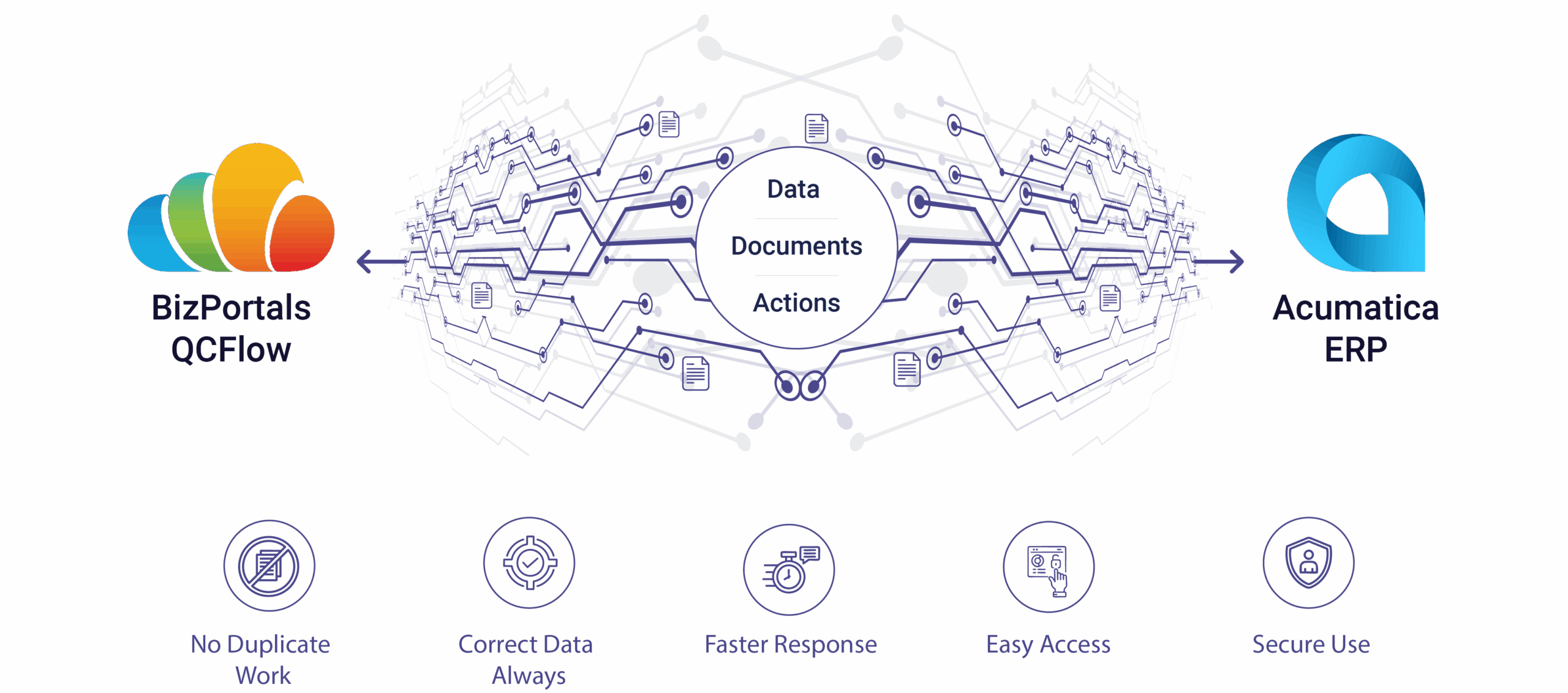
Experience an integration that works in both directions and across a wide range of business processes, including quality checks, procurement, production, and customer management. Information and documents remain aligned, regardless of whether you initiate the action in SharePoint or Acumatica.

Master Data Synchronization
Keep your master records, such as Customers, Products, Vendors, and more, always up to date. Whether updates occur in SharePoint or Acumatica, the data flows in both directions, eliminating duplication and ensuring accuracy across systems.

Single Sign-On (SSO)
Enable SharePoint users to seamlessly access Acumatica with a single, secure login. By using their SharePoint credentials, employees can move between BizPortals QCFlow and Acumatica without repeated sign-ins, reducing friction and improving user adoption.

Secure, Permission-Based Access
Establish consistent user permissions that apply uniformly across both systems. Employees only see the data and documents they are authorized to access, regardless of whether they are working in SharePoint or Acumatica. This maintains security, compliance, and trust.

Linked Documents and Records
Easily attach, publish, and share documents between SharePoint and Acumatica. A file added to SharePoint can be linked to the Acumatica record, and documents from Acumatica can be connected back to SharePoint. This ensures that documents are always linked to the correct process.

Automated Process Triggers
Streamline your workflows by automatically initiating the right actions in BizPortals QCFlow based on changes in Acumatica. For example, when a record in Acumatica fails or changes status, a corresponding deviation or corrective action is automatically created in BizPortals QCFlow , ensuring faster response and improved compliance.