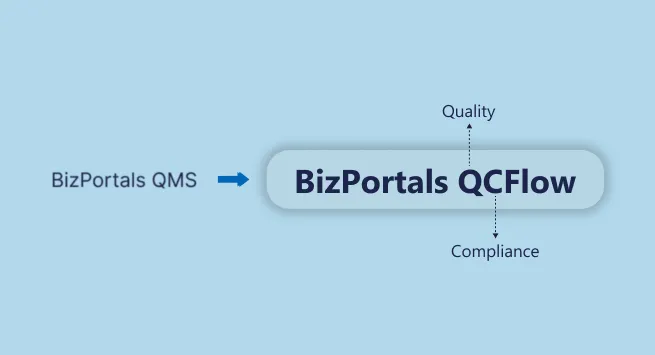
We are pleased to announce that BizPortals QMS has evolved into BizPortals QCFlow.
The Reason:
Today, quality management teams are responsible for more than just maintaining procedures and documentation. As regulatory expectations continue to expand, organizations need a system that supports consistent quality practices while meeting industry-specific regulations.
The Response:
In response to this evolving landscape, BizPortals QCFlow now reflects the close relationship between Quality and Compliance and how they work together across daily operations.
This change highlights a clearer and more accurate expression of what the platform has always been designed to support: connected quality management and compliance operations for organizations operating in regulated and process-driven environments.
While the name has changed, BizPortals QCFlow continues to deliver the same configurable quality management capabilities organizations rely on to manage quality processes, operational accountability, traceability, and compliance readiness.
Along with this change, BizPortals QCFlow reaffirms its commitment to strengthening its quality and compliance capabilities, including expanded support for GMP-aligned quality systems, while continuing to enhance operational control, traceability, user adoption, and process consistency across the organization.
Additionally, the transition to BizPortals QCFlow reinforces our long-term vision of building a connected quality management platform that helps organizations standardize quality operations, improve visibility across workflows, and maintain consistent execution across teams, processes, and compliance activities.
Why Only QCFlow?
For organizations operating in regulated environments, operational success depends on two fundamental principles:
First, do the right thing. And second, prove that you are doing the right thing.
Every regulation, certification, internal policy, CAPA, and audit exists to support one or both of these principles.
In quality management, true control is achieved only when execution and accountability work together in a continuous system.
That’s why we built BizPortals QCFlow.
Where Q stands for the Quality of your process, product, and system.
And C stands for Compliance, which is the act of complying with internal quality guidelines and industry-specific regulations.
Flow represents uninterrupted continuity, where Quality and Compliance move together as a connected lifecycle without gaps or manual disconnects.
This is what makes BizPortals QCFlow different.
Quality ensures you build safe and reliable products. Compliance ensures you can demonstrate it with confidence. Flow ensures this happens continuously.
Strengthening Compliance Capabilities: GMP Support
BizPortals QCFlow now extends its Quality and Compliance capabilities to support GMP-regulated environments.
Good Manufacturing Practices (GMP) are a set of regulations and principles designed to ensure that products are consistently manufactured and controlled in accordance with established quality standards. GMP helps ensure that the final product is fit for its intended use and complies with the requirements of relevant regulatory authorities.
GMP extends beyond manufacturing activities. It covers the entire quality ecosystem, including documentation, training and competency, deviations management, CAPA, audits, inspection, and more.
GMP applies to organizations that manufacture or handle regulated products where quality failures can directly impact human health and safety, including pharmaceuticals, biotechnology, medical devices, cosmetics, and related industries.
This is where BizPortals QCFlow plays a critical role in bringing structure, consistency, and control to GMP-related quality processes.
BizPortals QCFlow helps organizations manage Quality and Compliance processes in alignment with GMP expectations, enabling consistent execution, clear traceability, and ongoing inspection readiness.
It is designed to support key GMP expectations, including documentation procedures, controlled records, deviations management, training effectiveness, audit readiness, and data integrity.
Supporting Broader Compliance Operations
Beyond GMP-related operations, BizPortals QCFlow can be configured to support quality and compliance frameworks including ISO 9001, HACCP, SQF, GLP, HIPAA, and other operational or industry-specific requirements. This allows organizations to manage connected quality workflows, traceability, and compliance processes within a centralized quality management system.
What’s New in BizPortals QCFlow: Product Enhancements
BizPortals QCFlow includes targeted platform enhancements focused on strengthening operational control, workflow governance, administrative flexibility, and visibility across quality and compliance processes.
What’s New
Configurable Menu Icons via Admin Console
Administrators can now customize menu icons directly from the Admin Console. This helps teams align the interface with internal naming conventions and improve navigation clarity for different user groups.
OTP-Based Signature Configuration
Users can now use digital signatures with OTP-based authentication through the Admin Console. This strengthens authorization controls and supports secure approvals for quality- and compliance-related actions.
View Transactions Based on User Role
Users can view transactions relevant to their assigned roles. This ensures information visibility is aligned with responsibility, reducing confusion while maintaining accountability and data security.
Role-Based Access for Links and Submenus
Access to specific links and submenus can now be managed based on user roles. This allows organizations to better control system navigation and ensure users interact only with what is relevant to their role.
Update Application Title and Logo
Organizations can update the application title and logo from the Admin Console. This supports internal branding and helps align BizPortals QCFlow with corporate identity standards.
Checklist and Template Enablement at Facility Level
Checklist and template functionality can now be enabled at the facility level. This allows organizations with multiple sites to maintain consistency while supporting location-specific operational needs.
Customized Landing Page Configuration
Administrators can define customized landing pages, allowing users to start their work from the most relevant view based on roles or responsibility.
Prebuilt Dashboards for Core Modules
BizPortals QCFlow now includes default, prebuilt dashboards for core modules. These dashboards provide immediate visibility into key quality metrics without additional configuration.
Customizable Dashboard Themes and Layouts
Dashboard themes and layouts can be customized to suit user preferences and operational priorities. This improves usability and helps teams focus on the information that matters most.
Expanded Integration Capabilities
BizPortals QCFlow supports expanded API-based integration capabilities that help organizations connect quality operations with broader business processes across ERP systems, enterprise applications, and third-party platforms, including systems such as Acumatica and Dynamic CRM.
What Hasn’t Changed: Continuity & Trust
While the platform now operates as BizPortals QCFlow, the operational principles behind the solution remain consistent. The platform continues to support structured, secure, and configurable quality management operations designed to help organizations maintain process control, traceability, and accountability across quality workflows.
BizPortals QCFlow continues to support connected quality processes across document control, audits, training management, CAPA, risk management, inspections, and related compliance operations.
This evolution reflects greater clarity in how the platform represents the relationship between quality and compliance while continuing the foundation established through BizPortals QMS.
A Quick Overview of BizPortals QCFlow Capabilities
To provide a complete view of how BizPortals QCFlow supports quality and compliance operations, the table below outlines the platform’s core modules and capabilities. It brings together both long-standing features and recent enhancements that enable organizations to manage end-to-end quality workflows within a single system.
| Feature | Description |
|---|---|
| Automated Workflows | Streamline processes to save time and reduce errors. |
| Interactive Dashboards | Access prebuilt dashboards or create custom views to analyze data effectively. |
| Cross-Functional Collaboration | Facilitate seamless teamwork across departments and teams. |
| Cross-Module Integration | Connect workflows across systems for greater efficiency. |
| Activity Log | Track and review all user actions for transparency. |
| Role Management | Define roles and fine-tune user access for secure, personalized experiences. |
| Secure Digital Signature | Sign documents digitally using secure methods, including OTP-based verification. |
| Automated Reminder Alerts | Stay on top of tasks with timely reminders. |
| Data Export and PDF Generation | Easily convert and share data in preferred formats. |
| Admin Console | Manage all system settings from a centralized interface. |
| Checklists and Templates | Simplify workflows with guided checklists and templates. |
| Branding Controls | Tailor landing page, menu icon, and logo for a branded experience. |
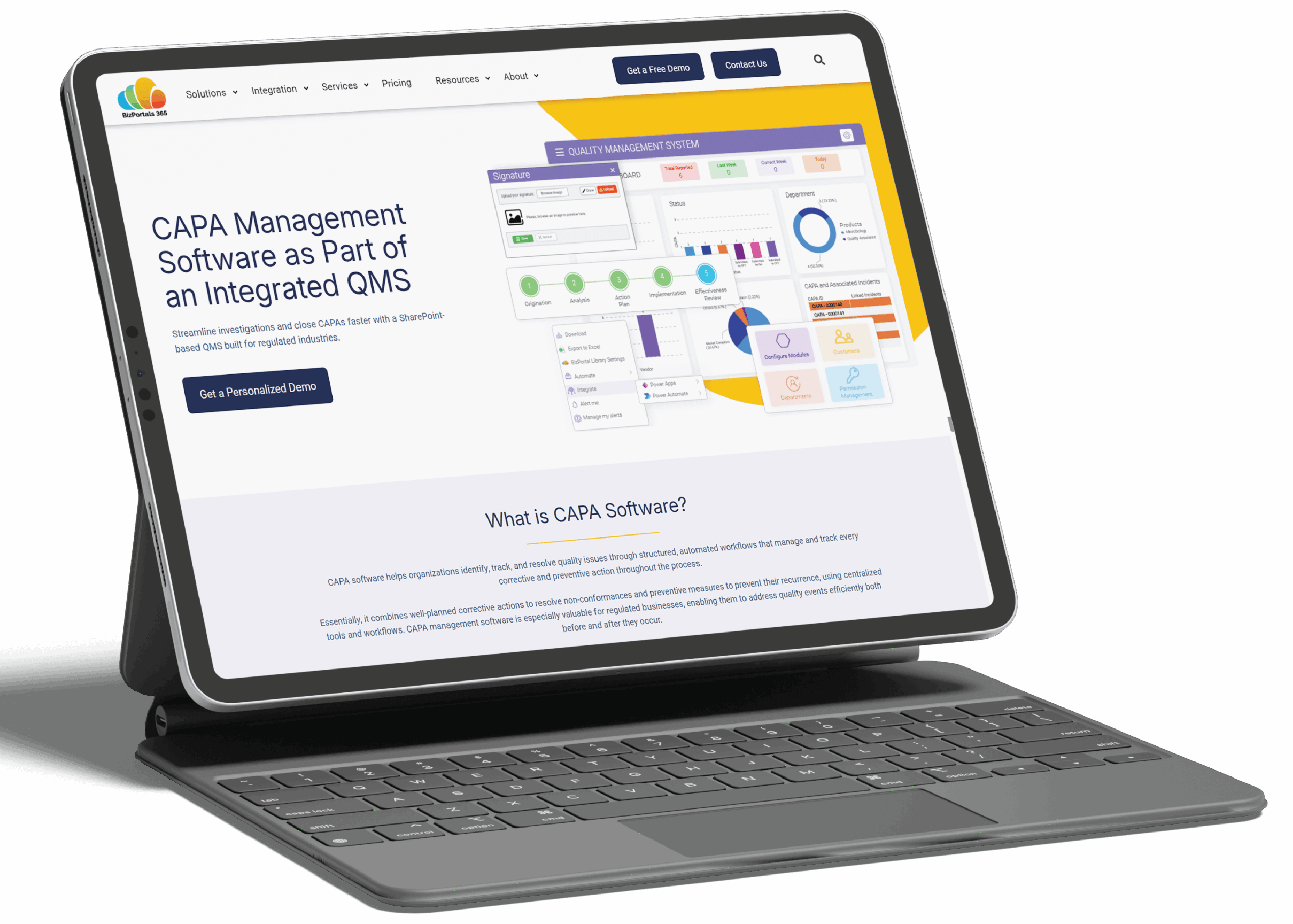
See how BizPortals QCFlow brings structure, visibility, and control to modern quality operations.
Schedule Demo